



Apple has established itself as a technology colossus, not just through innovative products but by building a seamless and interconnected digital environment: the Apple ecosystem. This ecosystem, praised for its cohesion, simplicity, and user-friendliness, is the bedrock of the brand's loyalty and long-term success. But what exactly is the Apple ecosystem, and is it really that good? This article covers everything you need to know.
Table of contents
- What is the Apple ecosystem?
- The user experience within the ecosystem
- The role of Apple ID
- AirDrop: no more cables when sharing
- iCloud: easy storage
- iMessage and FaceTime: communication and interconnectivity
- Sidecar and Universal Control: multiple displays and inputs
- iPhone Mirroring: your iPhone on your Mac
- Apple Intelligence: AI across every device
- How the Apple ecosystem can improve your work
- Frequently asked questions
- Conclusion
What is the Apple ecosystem?
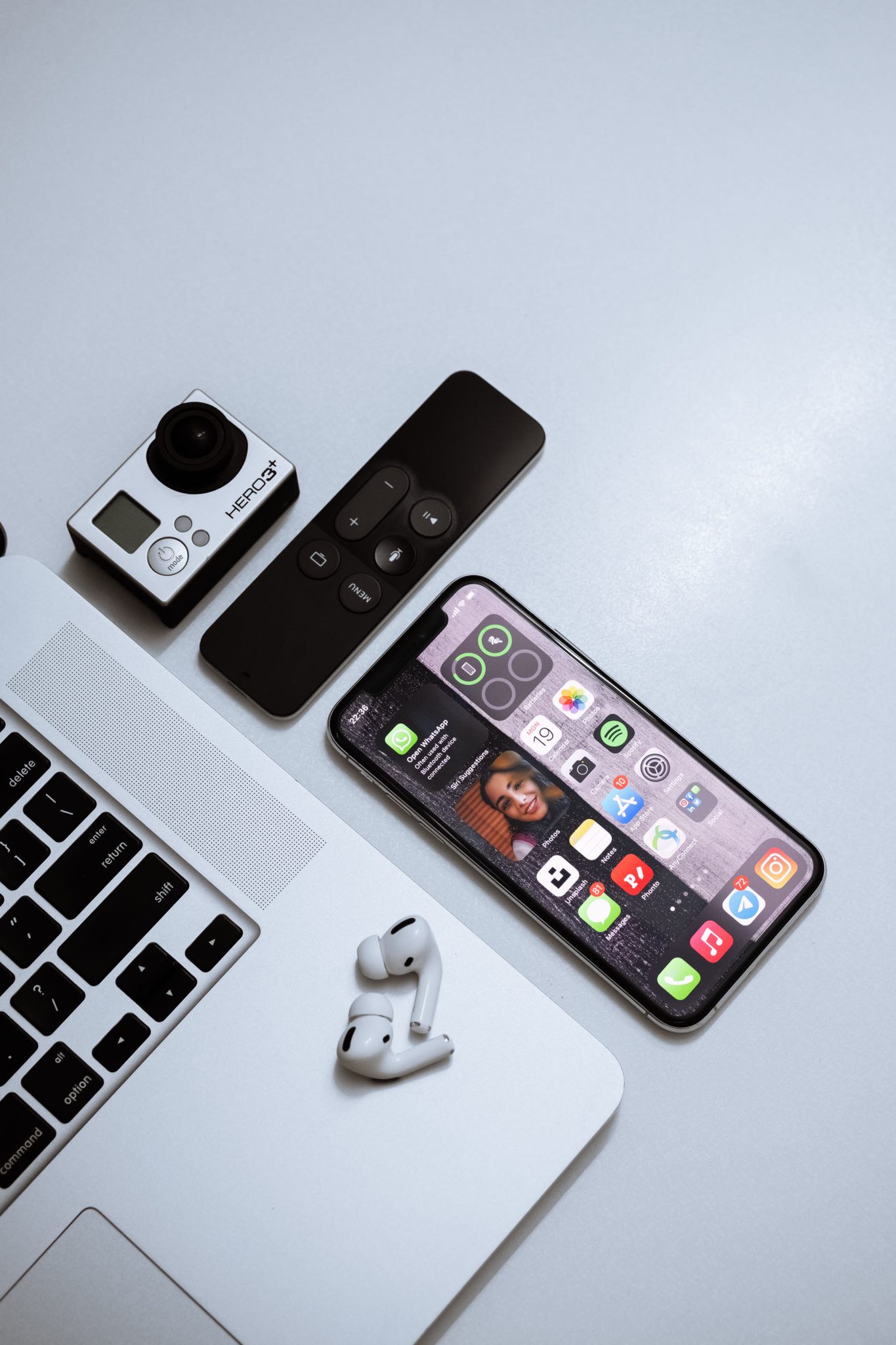
The Apple ecosystem is the connection and integration between different Apple devices, such as the iPhone, iPad, MacBook, Apple Watch, AirPods, Apple Vision Pro, and Apple TV, and how they behave, sync, and work together.
Every device Apple makes is designed to function not just as a standalone product, but as part of a larger, interconnected family. When you own more than one Apple device, the benefits compound: files sync automatically, tasks hand off between screens, and the same apps and services follow you everywhere.
Here is a closer look at some of the products that make up the modern ecosystem:
- iPhone: Apple's flagship product has revolutionized the smartphone industry. Its integration with the ecosystem means your photos, messages, and apps are accessible across all your Apple devices.
- Mac: From the MacBook Air to the Mac Studio, Apple's computers sync perfectly with other devices, allowing tasks like starting an email on your iPhone and finishing it on your Mac.
- iPad: Positioned between the iPhone and the Mac, the iPad offers a unique blend of mobility and capability, further enhanced by iPadOS. With apps optimized for its larger screen, it is also excellent for creative tasks, especially when paired with the Apple Pencil.
- Apple Watch: More than just a watch, it is an extension of the iPhone. From tracking health and fitness to controlling smart home devices, the Apple Watch is deeply integrated into the ecosystem. Discover the best Apple Watch apps that take full advantage of this.
- Apple TV: This device transforms the television into a smart hub. Stream movies and shows, or mirror your other Apple devices onto the big screen.
- AirPods and HomePod: Apple's audio devices automatically pair with your devices, and Siri integration lets you access music, messages, and more using just your voice.
- Apple Vision Pro: Apple's spatial computing headset merges digital content with the real world. It integrates with your other Apple devices so you can interact with your iPhone, iPad, and Mac directly from within Vision Pro.
The user experience within the ecosystem
The user experience within the Apple ecosystem is a result of hardware, software, and services working in tandem, creating a consistent and familiar environment across every screen.
Apple's operating systems, iOS, macOS, watchOS, and tvOS, are designed to work cohesively. For instance, a task begun on an iPhone, like drafting an email or a document, can be picked up on a Mac. Handoff and Continuity are the features that enable such transitions. The consistency in design language across devices ensures that users encounter a familiar interface whether they are using an iPad, MacBook, or iPhone, keeping the learning curve low.
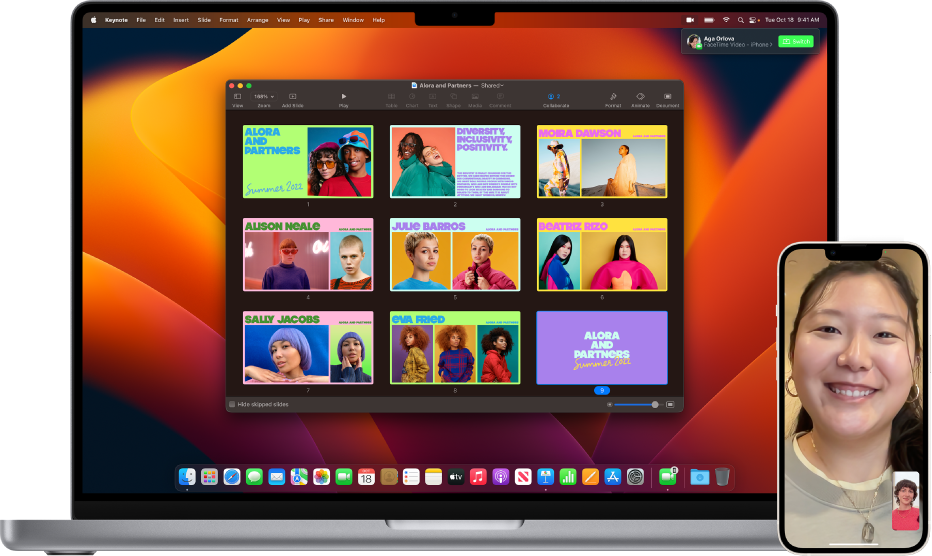
Apple Continuity feature. Image credit: Apple
Siri, Apple's voice assistant, is available across most devices, providing a consistent mode of interaction whether you are asking for weather updates on an iPhone or setting reminders on a Mac.
Services like iCloud further the integration by automatically syncing data across devices. Users can access photos, documents, and other files from any device connected to their Apple ID.
It is worth noting that this tightly-knit integration means issues or changes in one part of the ecosystem can affect the experience across other parts. For users who want to mix and match devices from different brands, the closed nature of Apple's ecosystem can also feel limiting. That trade-off between cohesion and openness is central to any honest evaluation of Apple's approach.
Learn more: Apple TV 4K 2021 vs. 2017: Is It Worth the Upgrade?
The role of Apple ID
Central to the Apple ecosystem is the Apple ID. This single identifier serves several critical functions:
- It is the primary sign-in method used for setting up devices, purchasing apps on the App Store, and accessing iCloud. A singular sign-in system creates a streamlined experience across all platforms.
- Apple ID governs access to iCloud, a cloud-based platform that syncs data like photos, documents, contacts, and notes across devices. Save a document on one device, and it becomes accessible from any other device linked to the same Apple ID.
- On the security front, Apple ID offers two-factor authentication, requiring a verification code from a trusted device for certain sign-ins, which strengthens privacy and account security.
- Family Sharing is another feature tied to Apple ID. It allows users to share App Store purchases and Apple subscriptions among family members, with billing centralized through the organizer's account.
- The Find My feature, also linked to Apple ID, helps users locate lost Apple devices. You can pinpoint a device's location, and if necessary, lock or erase it remotely.
- Several Apple services, including the App Store and Apple Music, offer personalization based on the user's Apple ID, delivering app suggestions and music recommendations based on activity across devices.
The Apple ID is therefore the thread connecting every product and service in the ecosystem, aiming to provide a consistent experience from the first device to the tenth.
AirDrop: no more cables when sharing
AirDrop, Apple's peer-to-peer file-sharing tool, is one of the clearest demonstrations of ecosystem integration in practice. It allows direct file transfers between devices like the iPhone, MacBook, and iPad without relying on external tools or internet-based methods.
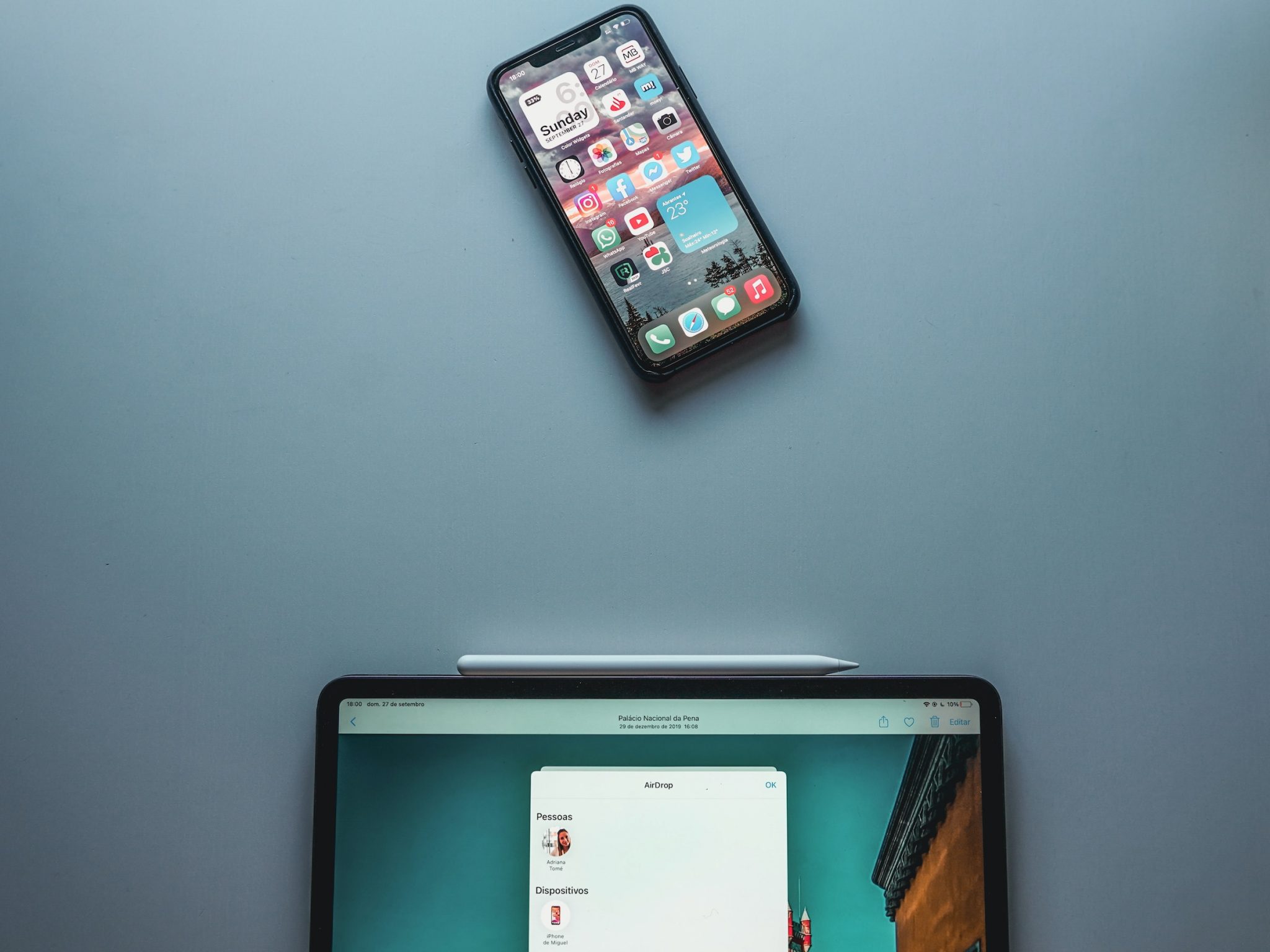
AirDrop uses end-to-end encryption, ensuring transferred files remain secure. Users can adjust their discoverability, choosing to be visible to everyone or limiting it to known contacts only. This mirrors Apple's broader approach to privacy.
One important note: AirDrop is exclusive to Apple devices. While it offers fast and seamless transfers within the ecosystem, it does not work with Android phones or Windows computers. This is a deliberate trade-off that reinforces the value of staying within the Apple ecosystem while limiting flexibility for those who use mixed-brand setups.
iCloud: easy storage
At its core, iCloud is Apple's cloud storage and sync service. It stores photos, documents, contacts, calendars, and more, making all of it available across linked devices. When a photo is taken on an iPhone, it can automatically appear on an iPad or Mac via iCloud Photos.
iCloud also handles backups. iPhones and iPads can be set to back up automatically to iCloud, so data can be restored after a device replacement or malfunction. It integrates with many third-party apps as well, allowing app data to sync across devices.
iCloud storage plans (2026):
- 5 GB: free (included with every Apple ID)
- 50 GB: available as a paid upgrade
- 200 GB: shareable via Family Sharing
- 2 TB, 6 TB, and 12 TB: iCloud+ tiers for power users and families
iCloud+ also includes Advanced Data Protection, an opt-in mode that adds end-to-end encryption for most categories of iCloud data, including backups, Photos, and Notes, so only your trusted devices can decrypt the content.
In essence, iCloud serves as a bridge between devices, ensuring data availability and consistency throughout the Apple ecosystem.
iMessage and FaceTime: communication and interconnectivity
iMessage, Apple's proprietary messaging platform, extends beyond basic text messaging. Integrated into the Messages app on Apple devices, it allows for sending text, photos, videos, and voice messages over Wi-Fi or cellular data.
Unique features like Animoji, Memoji, and message effects add a creative dimension to communication. iMessage conversations are end-to-end encrypted, emphasizing Apple's commitment to user privacy.
As of recent updates, iMessage also supports RCS (Rich Communication Services), which improves the messaging experience when communicating with Android users. RCS enables higher-quality media sharing, read receipts, and typing indicators in cross-platform chats, reducing the friction historically associated with the iPhone-to-Android messaging divide.

FaceTime is Apple's video and audio calling service. With a clear interface and support for group calls, FaceTime provides a convenient way to maintain face-to-face connections at any distance. Its integration across iPhone, Mac, and iPad means you can start or answer a call from whichever device is most convenient.
Sidecar and Universal Control: multiple displays and inputs
Two powerful features that demonstrate the depth of Apple's Mac-iPad integration are Sidecar and Universal Control.
Sidecar allows you to extend or mirror your Mac's display to an iPad. Once connected wirelessly or via cable, the iPad acts as an additional screen, giving you more workspace without buying a separate monitor.
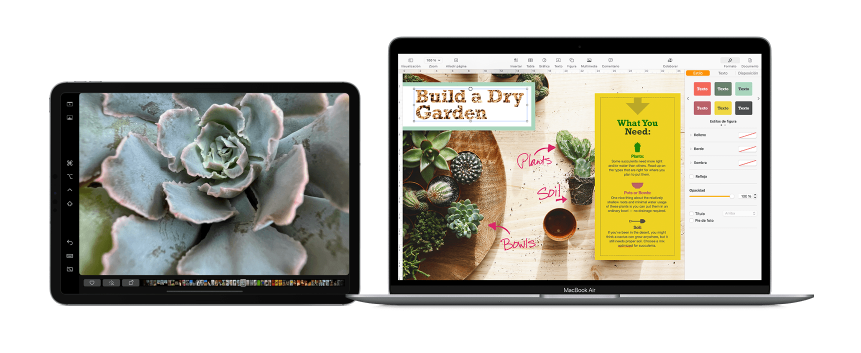
Apple Sidecar. Image credit: Apple
For professionals in creative fields, Sidecar goes further: when combined with the Apple Pencil, the iPad becomes a high-precision drawing tablet. You can sketch directly on the iPad while seeing the results in real time on the Mac, eliminating the need for a third-party tablet peripheral. The low latency keeps the experience fluid, and macOS features like the Sidebar are rendered on the iPad so you do not lose any functionality.
Universal Control takes integration a step further. With Universal Control, you can use a single keyboard and mouse or trackpad to control multiple Apple devices side by side, including a Mac and an iPad, without any configuration. Move your cursor to the edge of one screen and it slides onto the next device. You can even drag and drop files between them. This seamless multi-device input makes working across Apple hardware feel like using one large, flexible computer.
iPhone Mirroring: your iPhone on your Mac
One of the most significant features added to the Apple ecosystem in recent years is iPhone Mirroring, introduced with macOS Sequoia. It allows you to view and interact with your iPhone directly from your Mac, as if your iPhone's screen were an app window on the desktop.
With iPhone Mirroring, you can open iPhone apps, respond to notifications, and use your iPhone fully through your Mac's keyboard and trackpad, without touching the phone at all. The iPhone itself remains locked and the connection is encrypted, so privacy is maintained. Notifications from your iPhone also appear on your Mac, and you can act on them from there.
This feature is particularly useful if your iPhone is charging in another room, or if you simply want to keep all your activity on one screen. Drag and drop between iPhone and Mac is also supported, making it easy to move photos, links, and files across the two devices instantly.
Apple Intelligence: AI across every device
A defining addition to the Apple ecosystem since 2024 is Apple Intelligence, Apple's generative AI layer built into iOS 18, iPadOS 18, and macOS Sequoia, with continued expansion in subsequent releases.
Apple Intelligence is not a standalone app. It is woven throughout the operating system, providing AI-powered capabilities across every major function:
- Writing Tools: Available system-wide, these tools can rewrite, proofread, and summarize text in any app, from Mail to Notes to third-party apps.
- Smarter Siri: Siri gained a deeper understanding of personal context, the ability to take actions inside apps, and optional integration with ChatGPT for queries that benefit from broader knowledge.
- Image Playground and Genmoji: Users can generate custom images and emoji directly on device, using a description or a person from their photos.
- Audio and call summarization: The Phone app and Notes can transcribe and summarize calls and recordings automatically.
- Visual Intelligence: Point the camera at an object, a QR code, or a piece of text, and Apple Intelligence can identify it and suggest relevant actions.
- Live Translation: Real-time translation is now available in Messages, Phone, and FaceTime, lowering the barrier to cross-language communication.
Apple emphasizes that most Apple Intelligence features run on-device, with sensitive tasks handled through Private Cloud Compute, a system designed so that even Apple cannot read the data sent for processing.
Apple Intelligence is available on iPhone 15 Pro and later, all M-series iPads and Macs, and represents the clearest signal yet that Apple views the ecosystem not just as a hardware story, but as an integrated software and AI platform.
How the Apple ecosystem can improve your work
The Apple ecosystem offers a distinct advantage in the workplace because of its focus on ease of use, interconnectivity, and security. Some of the key advantages are:
- Seamless integration: Features like Handoff, Universal Clipboard, AirDrop, Sidecar, Universal Control, and iPhone Mirroring create a streamlined workflow that saves time and eliminates compatibility frustration between devices.
- Enhanced collaboration: Real-time document editing in iWork (Pages, Numbers, Keynote), shared notes, and communication via Messages and FaceTime make teamwork feel natural and productive.
- User-friendly interface: Apple products are known for intuitive, consistent design. This shortens the learning curve for new employees and reduces tech troubleshooting, keeping teams focused on work.
- Centralized management: Tools like Apple Business Manager make it easy for IT teams to deploy devices, enforce security policies, and distribute apps remotely, reducing overhead significantly.
- Robust security: Hardware-level encryption, frequent security updates, strict App Store regulations, and features like Advanced Data Protection in iCloud give organizations a strong baseline for protecting sensitive data.
- AI-powered productivity: Apple Intelligence tools, available across all compatible devices, bring writing assistance, summarization, and smart actions to everyday tasks without requiring any additional software.
Frequently asked questions
Conclusion
The benefits of the Apple ecosystem become most noticeable when you own more than one Apple device. Syncing data, photos, and files happens automatically, and features like Handoff, Universal Clipboard, AirDrop, Sidecar, Universal Control, and iPhone Mirroring turn what could be a collection of separate gadgets into something that feels like one unified computing environment. The addition of Apple Intelligence has further raised the stakes, bringing AI-powered tools to every compatible device without requiring any extra setup.
This kind of integration is similar to what Android and Microsoft offer in their own ecosystems, yet Apple's approach is widely regarded as more cohesive because a single company controls both the hardware and the software end to end.
If you are thinking about joining Apple's world, considering refurbished products is a smart way to start. Expert technicians inspect these devices thoroughly, ensuring functionality close to new, at prices significantly lower than retail. Apple's refurbished products also come with a warranty, giving buyers genuine peace of mind.
On RefurbMe, we compare hundreds of refurbished Apple devices in real time so you can find the best deals. Here is a look at popular refurbished devices available now:
Last updated: May 28, 2026 · First published: May 16, 2024