


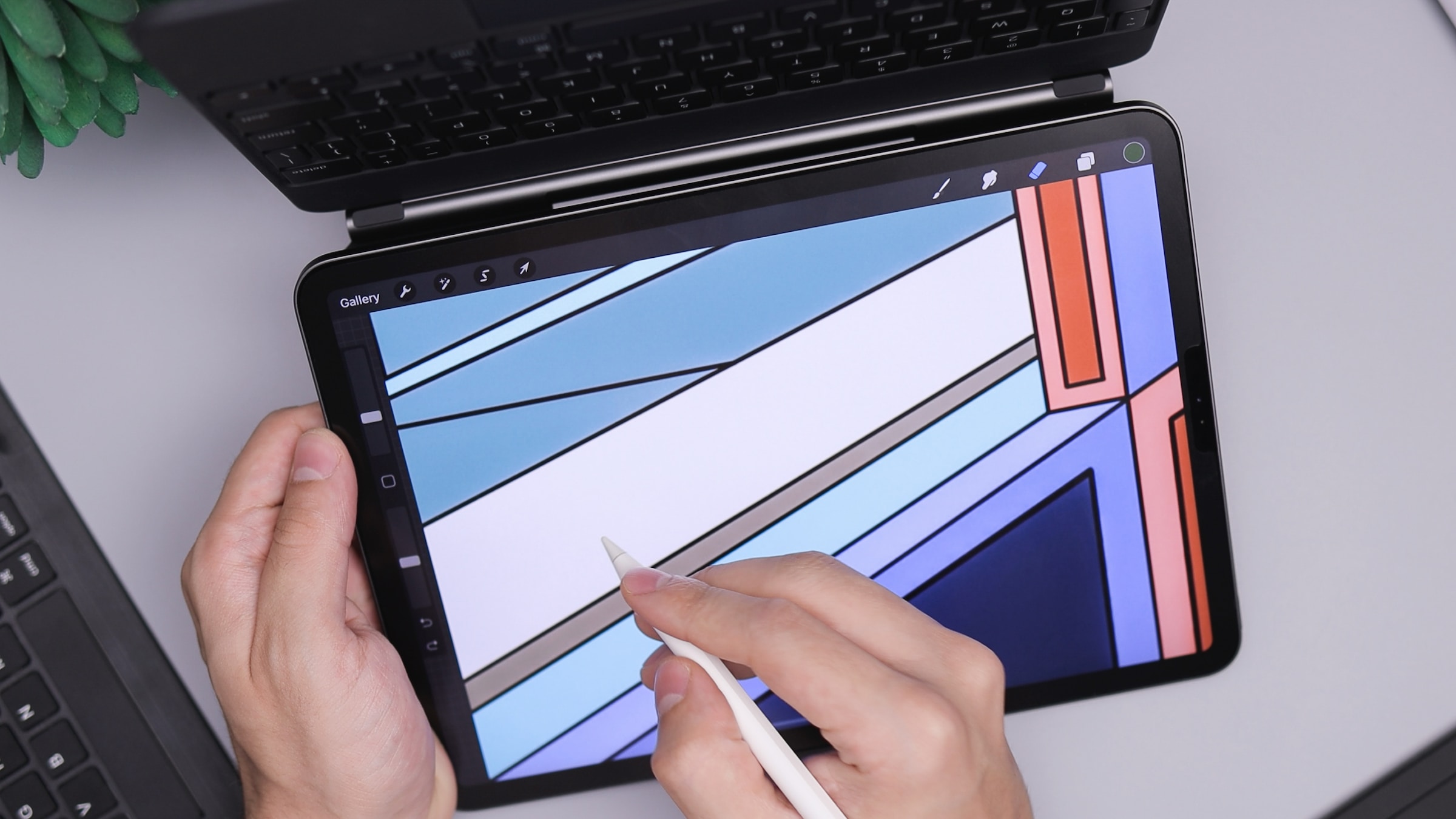
The best apps for the Apple Pencil in 2026 are Procreate and Adobe Illustrator for drawing, GoodNotes and Notability for note-taking, Zinnia for journaling, and Apple Notes as the best free option. This guide ranks 21 standout apps across drawing, note-taking, design, music, and games, with current pricing and Apple Pencil Pro support noted for each.
The Apple Pencil turns the iPad from a touchscreen tablet into a precise creative and productivity tool. Combined with the best accessories for the Apple Pencil and the best accessories for your iPad, tasks like editing photos, taking notes, drawing, composing music, and graphic design become far more intuitive.
The Apple Pencil Pro now supports squeeze gestures and barrel roll, and more apps add support for them every quarter. The 21 picks below are the apps that take the fullest advantage of that hardware.
Note: The list is in no particular order. We selected apps based on usefulness, number of features, value for money, user reviews, and ease of use.
The best apps for the Apple Pencil at a glance
| App | Category | Highlight | Price |
|---|---|---|---|
| Zinnia | Journaling, planning, note-taking | Best for bullet journaling | Free | $9.99/month |
| Procreate | Graphics and design | Best for digital artists | $12.99 |
| GoodNotes | Writing and note-taking | Best for digital note-taking | Free | $11.99/year |
| Adobe Photoshop | Photo and video | Best for professional photo editing | Free | $7.99/month |
| Flow | Writing and drawing | Infinite canvas for drawing | Free | $2.49/month |
| Tayasui Sketches | Graphics and design | Most realistic drawing tools | Free | $7.99 |
| Bear | Writing and note-taking | Minimalist note-taking app | Free | $2.99/month |
| Symphony Pro | Music | Best for composing music | $14.99 |
| Shapr 3D CAD modeling | Productivity | Professional CAD modeling | Free | $37.99/month |
| Apple Notes | Note-taking | Best built-in notes app | Free |
| Pixelmator | Photo and video | Affordable yet powerful editor | $9.99 |
| Evernote | Productivity and note-taking | Best for organization | Free | $11.99/month |
| Concepts | Graphics and design | Infinite canvas and vector tools | Free | $4.99/month |
| Notability | Writing and drawing | Best for students | Free | $7.99/month |
| Astropad Studio | Drawing | Turns iPad into a drawing tablet | $14.99/month |
| Adobe Illustrator: Vector Art | Graphics and design | Best for vector illustrations | Free | $9.99/month |
| Pigment | Entertainment | Best for stress relief coloring | Free | $9.99/month |
| Sketch Club | Graphics and design | Community-driven drawing app | $3.99 |
| Sticker Doodle | Entertainment | Create custom stickers | Free | $1.99 |
| Brain Dots | Games | Fun puzzle game for Apple Pencil | Free | $3.99 |
| Nebo | Writing and note-taking | Best AI-powered handwriting recognition | Free | $14.99 |
Best note-taking apps for the Apple Pencil
1. Zinnia
📌 Category: Journaling, planning, note-taking 💲 Price: Free | Full: $9.99/month
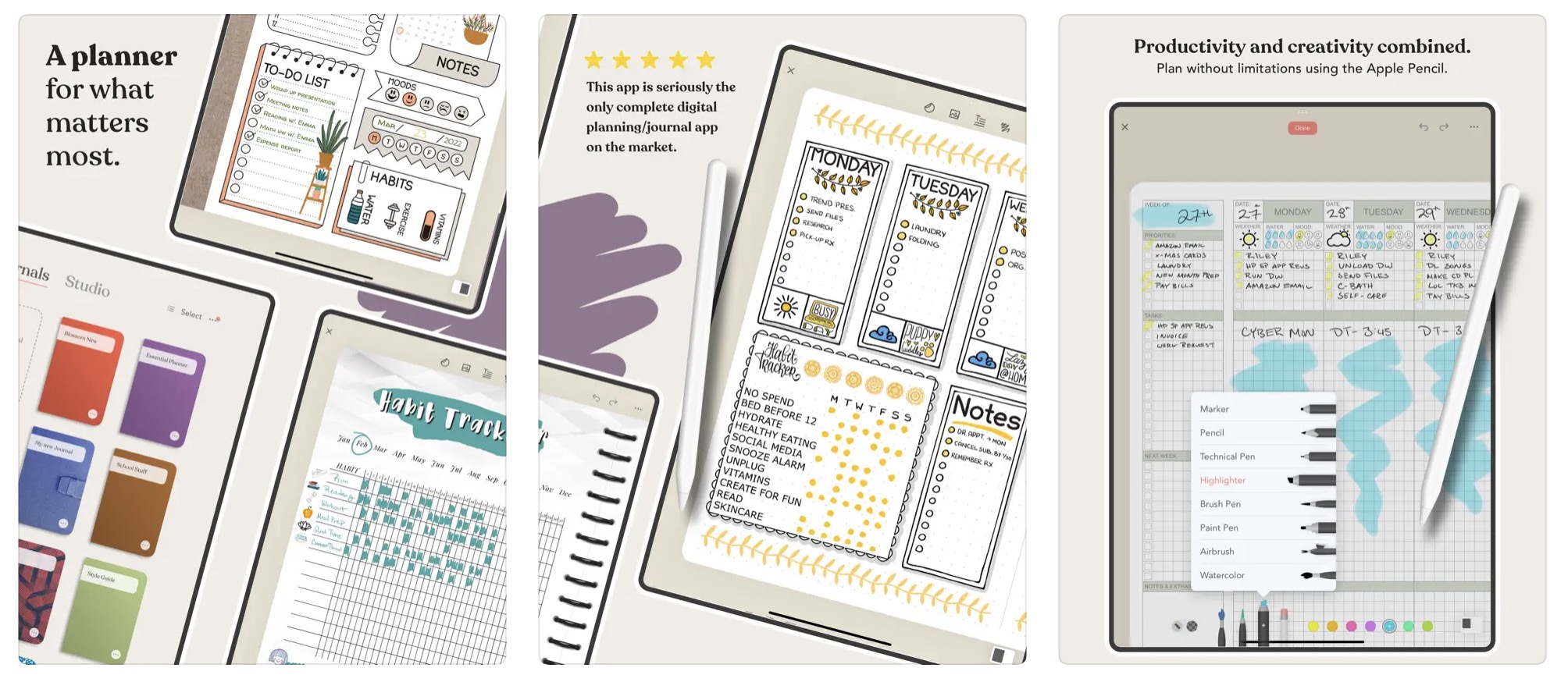
The digital planning and journaling app Zinnia is considered one of the best Apple Pencil apps for bullet journaling and layout design. It comes with a Studio full of digital content, including calendars, productivity templates, and creative designs such as stickers, washi tape, and paper packs.
Tappable checkmarks, auto-date templates, and cross-device syncing make it a go-to for tracking daily tasks. The Apple Pencil pairs perfectly with Zinnia's toolkit, which includes handwriting smoothing, PDF markup, and customizable brushes. Zinnia works equally well for vision boards, scrapbooks, travel planning, and creative projects.
2. Procreate
📌 Category: Graphics and design 💲 Price: $12.99
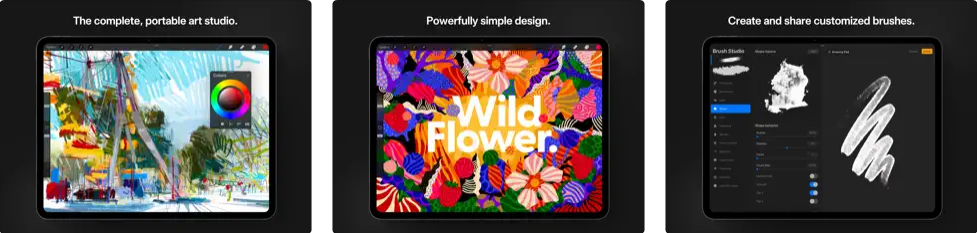
The Procreate drawing app features an impressive collection of brushes and pencil options that delight professional illustrators and beginners alike. It offers ultra-high-definition canvases up to 16K on compatible iPad Pros and its 64-bit painting engine delivers exceptional performance. Users can import Adobe Photoshop brushes from both PC and iPad. Procreate fully supports the Apple Pencil Pro's squeeze gesture for quick tool switching and barrel roll for brush angle control.
3. GoodNotes
📌 Category: Writing and note-taking 💲 Price: Free | GoodNotes 6 (1 year): $11.99
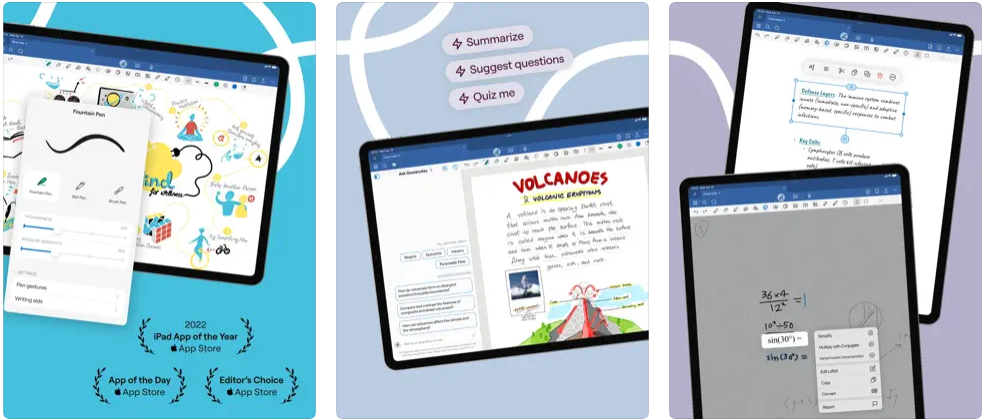
GoodNotes is an excellent and complete note-taking app for the Apple Pencil. It turns the iPad into digital paper, letting you convert handwritten notes to typed text, annotate PDFs, organize documents into folders, add hyperlinks to media, sync to iCloud, Google Drive, and Dropbox, and much more. GoodNotes lets you draw perfect shapes, move and resize handwriting, use stickers, pictures, tables, and diagrams, and record audio notes. As of 2026, the subscription pricing has moved to $11.99/year for the full version.
4. Adobe Photoshop
📌 Category: Photo and video 💲 Price: Free | Mobile & Web: $7.99/month
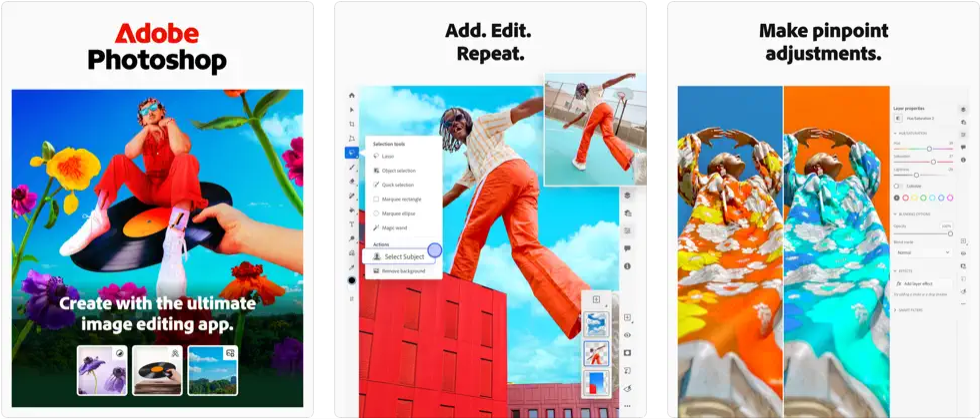
Adobe Photoshop on iPad brings desktop-class photo editing to the Apple Pencil. Adobe built the app to take full advantage of the iPad's touchscreen, with layers, spot healing, blending modes, and a context-aware toolbar that shows only the tools relevant to your current task. The Pencil's pressure sensitivity integrates naturally with brushes and retouching tools, giving you precise control that is genuinely difficult to replicate with a finger.
5. Flow
📌 Category: Writing and drawing 💲 Price: Free | Membership: $2.49/month
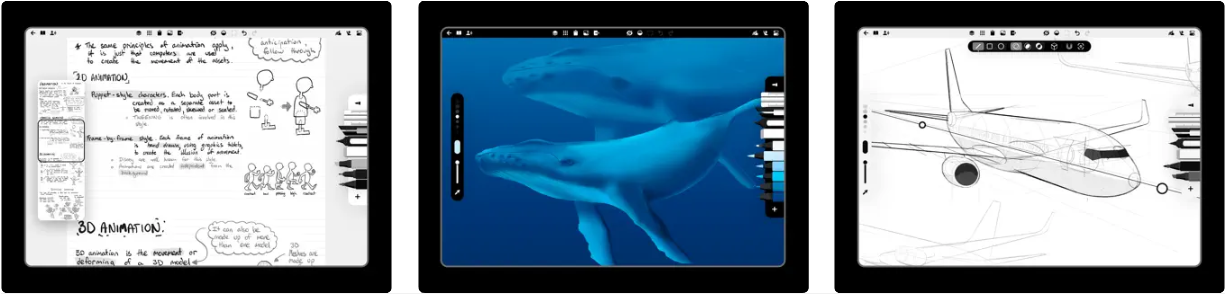
Flow by Moleskine brings the beloved paper notebook to your iPad. One of the app's defining features is an infinite-width canvas, so you can pan and extend a drawing without limits. It lets you create custom tools available with a single tap through a virtual toolset, and supports customizable gestures with double-tap for the second-generation Apple Pencil. Flow won an Apple Design Award and consistently ranks among the best free drawing apps for the Apple Pencil.
6. Tayasui Sketches
📌 Category: Graphics and design 💲 Price: Free | Pro: $7.99
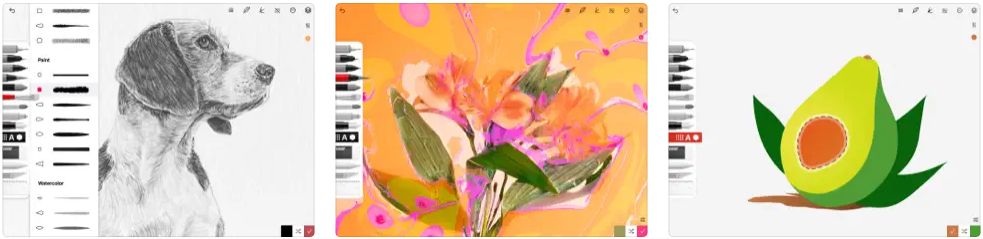
Tayasui Sketches offers some of the most realistic drawing tools available for the Apple Pencil on iPad. The app is user-friendly and versatile with more than 20 tools. The toolbar disappears while you draw so you always have a clear canvas. Drawings sync to iCloud, and the active community keeps the inspiration flowing.
7. Bear
📌 Category: Writing and note-taking 💲 Price: Free | Pro: $2.99/month
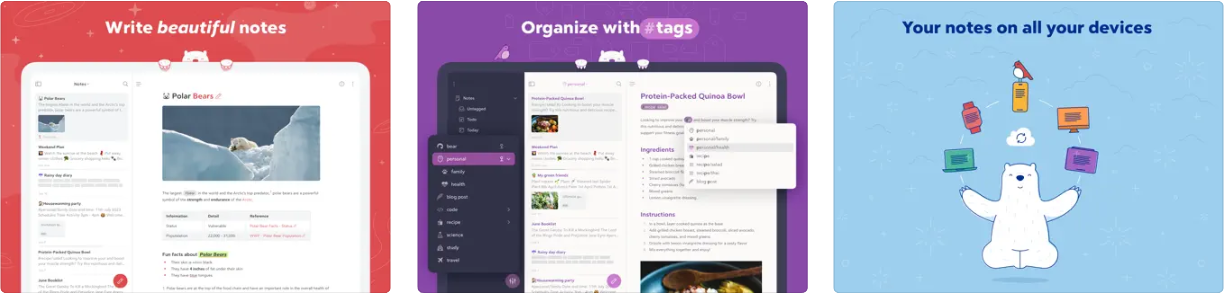
Bear is a beautiful and minimalist note-taking app built for writers who also want to sketch. It combines excellent organization and editing tools with a browser extension and cross-device sync across iPad, iPhone, Mac, and Apple Watch. The Pro version lets you encrypt notes and unlock them with Face ID or Touch ID. Bear supports adding Apple Pencil sketches inline within any note, making it a strong option for Markdown-focused users.
Best music and productivity apps for the Apple Pencil
8. Symphony Pro
📌 Category: Music 💲 Price: $14.99
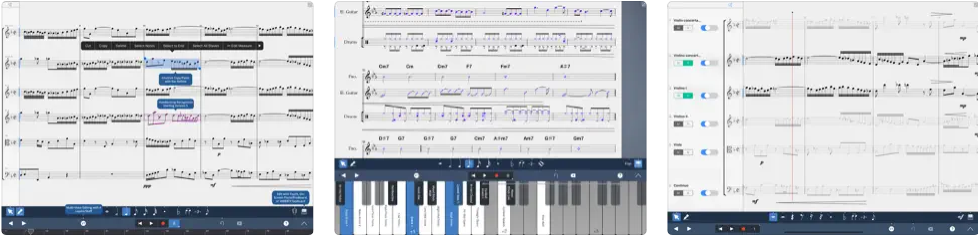
If you are a composer or simply love music, Symphony Pro is one of the best apps available. It converts Apple Pencil strokes directly into musical note objects. Recent updates brought a customizable score layout and improved gestures, and the app is now available on iPhone and Mac so you can continue composing wherever you are.
9. Shapr 3D CAD modeling
📌 Category: Productivity 💲 Price: Free | Pro: $37.99/month
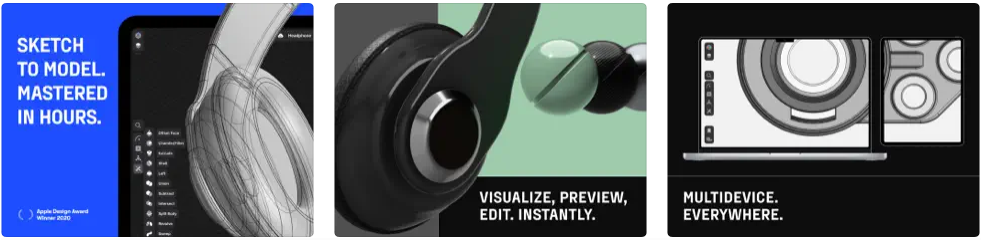
Shapr3D is a professional-grade CAD modeling app powered by the Siemens Parasolid geometric engine and HOOPS Exchange translation software. CAD modeling has historically been difficult to adapt to tablets because of precision demands, but the Apple Pencil's 9ms latency and modern iPad hardware address that challenge effectively. Engineers, architects, and product designers use Shapr3D to model, visualize, and export professional designs.
10. Apple Notes
📌 Category: Note-taking 💲 Price: Free (preinstalled)
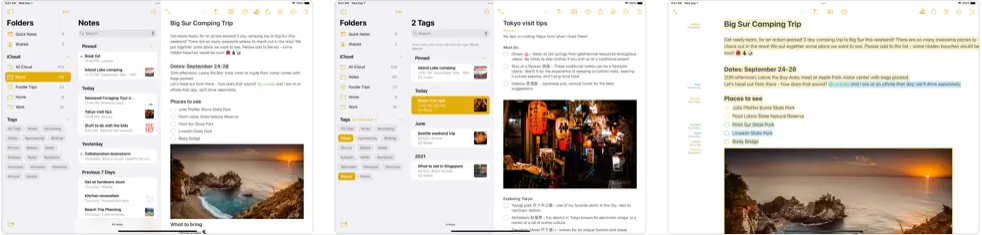
Apple Notes comes preinstalled on every iPad and is more capable than many users realize. It supports handwriting, sketching, checklists, scribbling, and document scanning, all in one place. Tap the Pencil icon at the bottom of a note to reveal the toolbar and choose your pen and colors. Notes is now fully compatible with Apple Pencil Pro, including squeeze to switch tools and double-tap to toggle the eraser. Seamless iCloud sync keeps your notes available across all your Apple devices, including Apple Vision Pro.
11. Pixelmator
📌 Category: Photo and video 💲 Price: $9.99
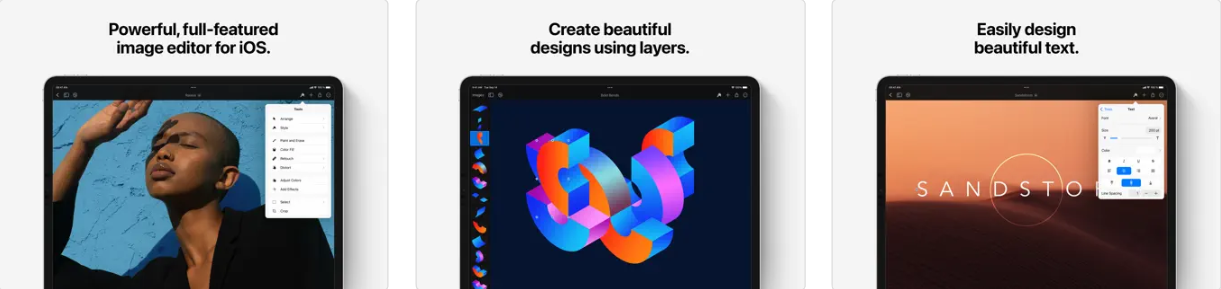
Pixelmator looks like a straightforward photo editor, but it has considerably more depth than its minimal interface suggests. With the Apple Pencil, you can add images, sketches, and paintings using layers; retouch and enhance photos; and design illustrations with text. At $9.99 it is one of the best-value apps for anyone who wants Photoshop-like capabilities without a subscription. Following Apple's acquisition, the classic Pixelmator app is no longer receiving updates as of 2026, but it remains available and fully functional, with Pixelmator Pro arriving on iPad as its successor.
12. Evernote
📌 Category: Productivity and note-taking 💲 Price: Free | Personal: $11.99/month
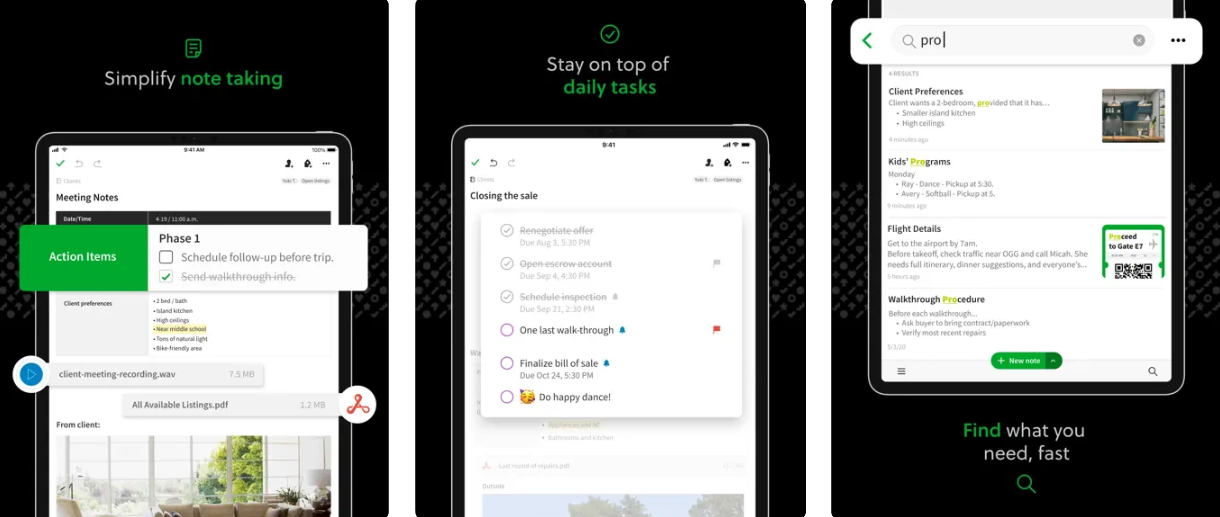
Evernote remains a well-established name for note-taking and information organization. It lets you write notes and to-do lists, organize information, and save useful data in one place. It syncs seamlessly across devices and can record audio while sketching. Evernote offers automatic palm rejection and pressure sensitivity for a natural Apple Pencil experience.
Best drawing and design apps for the Apple Pencil
13. Concepts
📌 Category: Graphics and design 💲 Price: Free | Everything: $4.99/month
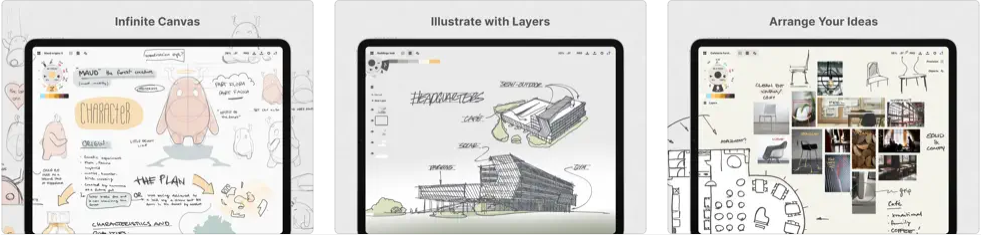
Concepts is one of the most versatile drawing and design apps available, and it works perfectly with the Apple Pencil. The infinite canvas lets you create sketches, notes, drawings, floor plans, vectors, and more. Standout features include dozens of realistic pens, drawing suggestions, fully customizable brushes, and the Nudge, Slice, and Select tools for quick fixes. Architects, product designers, and illustrators all rely on Concepts for its vector-based precision.
14. Notability
📌 Category: Writing and drawing 💲 Price: Free | Subscription: $7.99/month
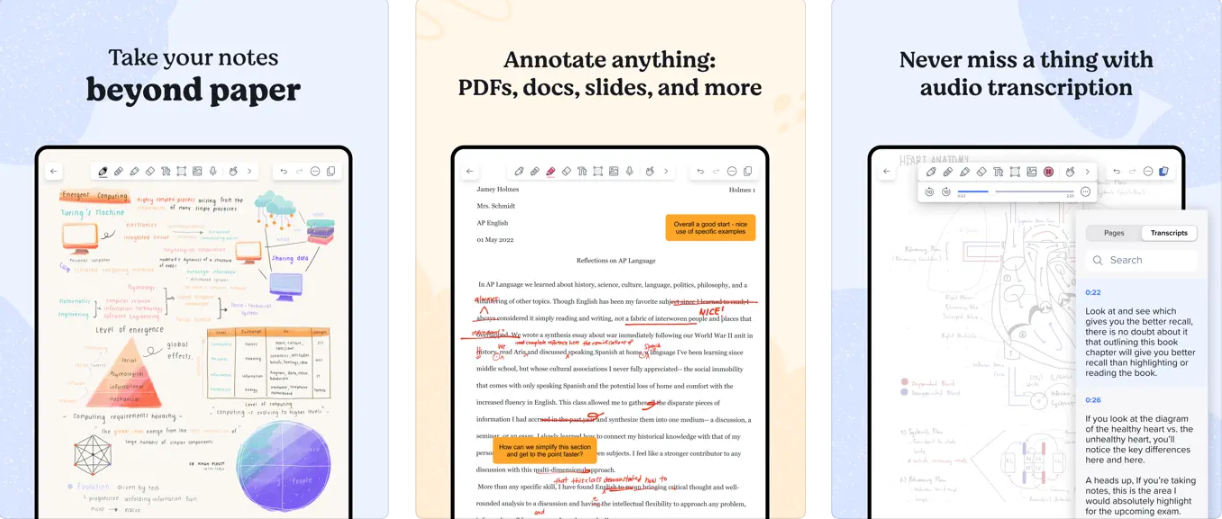
Notability is a versatile app for handwriting, note-taking, sketching, and organizing your writing. It is particularly popular with students and professionals who want to annotate PDFs and record audio alongside their handwritten notes. The infinite scroll feature lets you develop ideas without page breaks, and the Pencil tool supports pressure sensitivity and tilt-activated shading. Notability's AI Note Summaries feature, added in recent updates, automatically condenses lecture or meeting notes.
15. Astropad Studio
📌 Category: Drawing 💲 Price: $14.99/month
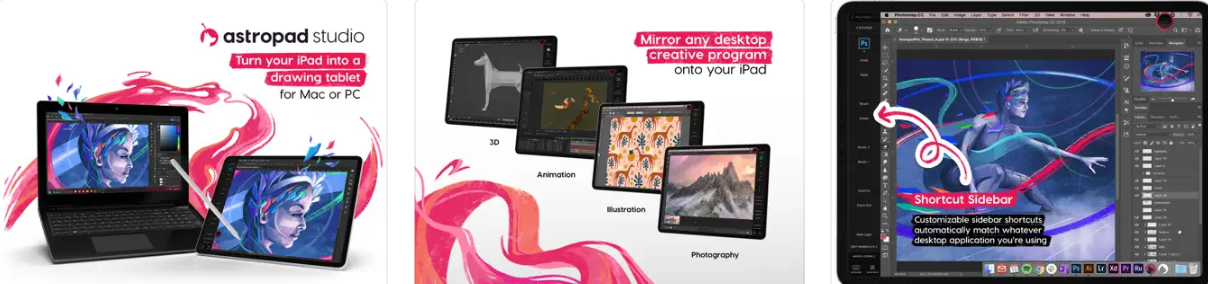
Astropad Studio lets you draw directly on your iPad while mirroring your Mac or PC desktop software, including Photoshop, Illustrator, and Clip Studio Paint. Key features include Pinch to Zoom, Liquid Extreme for low-latency input, Wi-Fi and USB connectivity, keyboard support, and full customization of gestures and shortcuts. Recent updates have significantly reduced the latency that some earlier users reported.
16. Adobe Illustrator: Vector Art
📌 Category: Graphics and design 💲 Price: Free | Subscription: $9.99/month
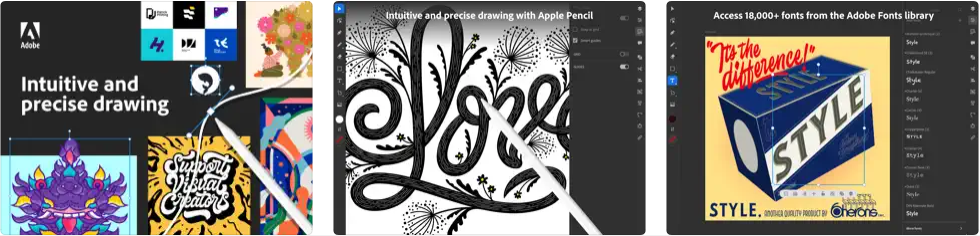
Adobe Illustrator for iPad is the professional standard for vector art, and its tablet interface often feels more natural than the desktop version for freehand work. The Apple Pencil integrates tightly: you can draw vector lines, add effects, use calligraphic brushes, and merge or cut graphics using quick Pencil gestures. If you work in the Creative Cloud ecosystem, files move seamlessly between the iPad and desktop versions. Support for 18,000 fonts and full Apple Pencil pressure sensitivity make this one of the strongest design apps on the platform.
Best entertainment and games apps for the Apple Pencil
17. Pigment
📌 Category: Entertainment 💲 Price: Free | Premium: $9.99/month
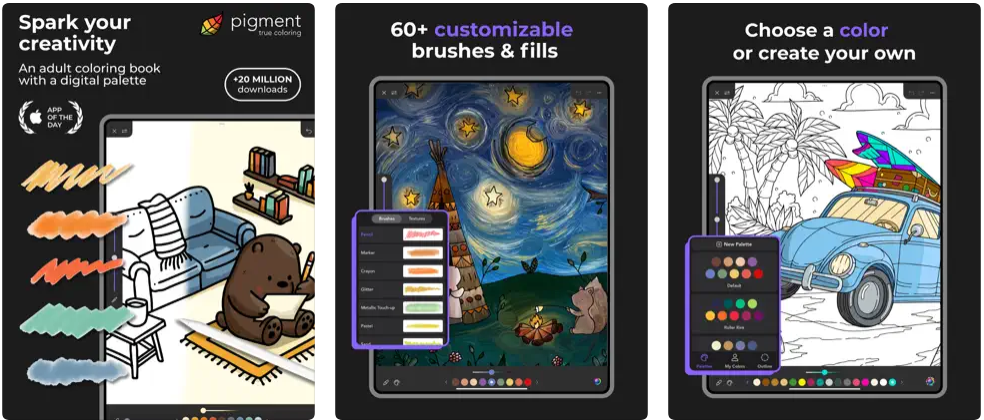
Pigment offers a library of more than 8,500 coloring pages, from portraits and mandalas to nature scenes and abstract patterns, along with more than 25 coloring tools. The Apple Pencil's pressure sensitivity responds naturally to how lightly or firmly you color, creating a genuinely relaxing experience. Pigment is widely recommended as a stress-relief app for iPad users of all ages.
18. Sketch Club
📌 Category: Graphics and design 💲 Price: $3.99
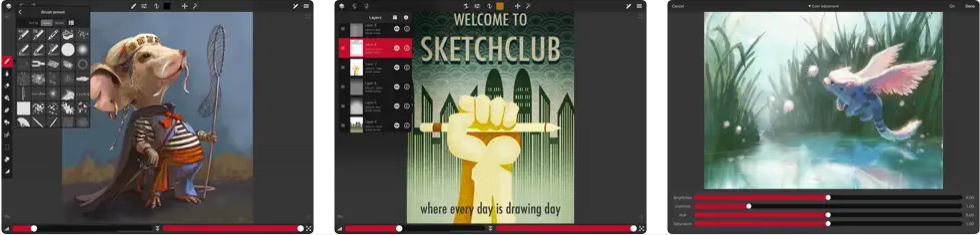
Sketch Club is a community-driven app for sketching, drawing, editing, and painting. It features a large library of brushes, effects, filters, and layers, with a canvas up to 16K and many built-in creative tools. Daily challenges, weekly competitions, and tutorials keep artists motivated and improving. At $3.99 it is among the most affordable one-time-purchase drawing apps available.
19. Sticker Doodle
📌 Category: Entertainment 💲 Price: Free | Unlimited Stickers: $1.99
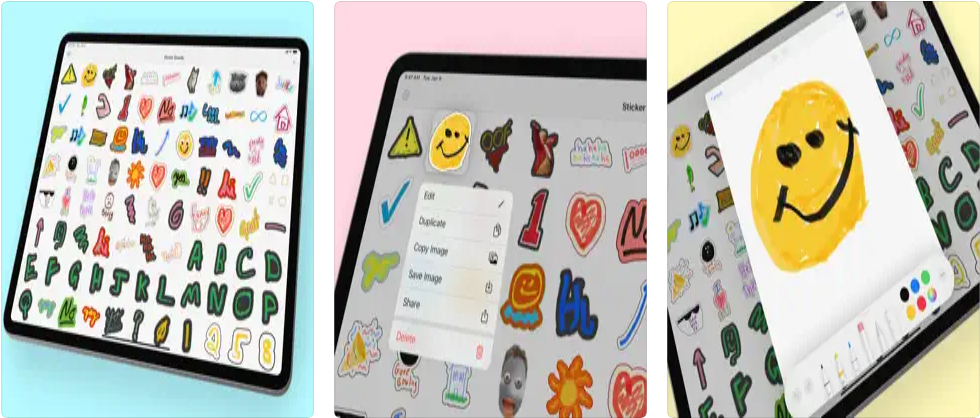
Sticker Doodle lets you draw custom stickers with the Apple Pencil and send them to friends, or turn any photo into a sticker and edit it. Share your creations on iMessage, WhatsApp, Telegram, Discord, and Slack, and sync them on iCloud.
20. Brain Dots
📌 Category: Games 💲 Price: Free | Remove Ads: $3.99
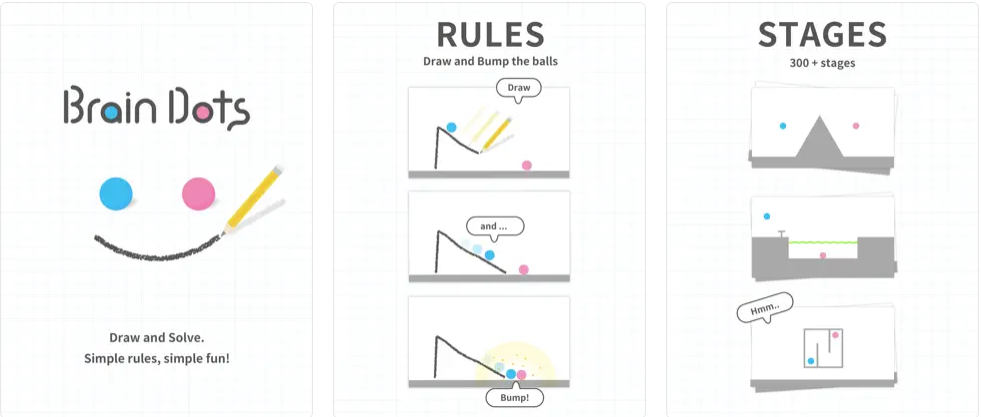
Brain Dots is a puzzle game where you draw with your Apple Pencil to solve more than 300 stages by bumping two balls through increasingly difficult physics challenges. Users can even design and share their own stages. It is one of the few games built from the ground up around the Apple Pencil experience.
21. Nebo
📌 Category: Writing and note-taking 💲 Price: Free | Full: $14.99
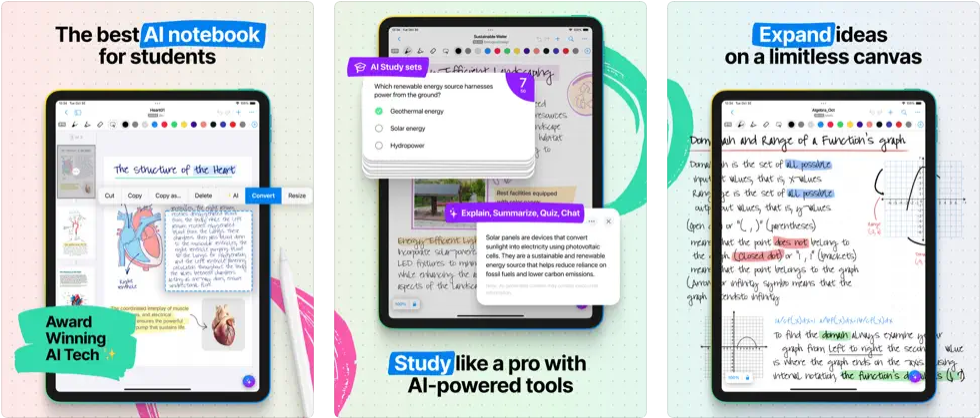
The AI-powered note-taking app Nebo (now listed as MyScript Notes, formerly Nebo) is widely praised as one of the best Apple Pencil apps for handwriting recognition. It supports 66 languages and converts handwritten notes into clean, email-ready text. The Apple Pencil pairs naturally with Nebo, letting you write, create shapes, draw sketches, and build structured layouts, all of which Nebo can interpret and convert to editable digital content.
How to choose the right Apple Pencil app
The fastest way to narrow this list is to start with your main task, then check whether the app supports the Apple Pencil features you care about. Below are the three questions that matter most before you download anything.
Which app should you pick for note-taking?
Start with Apple Notes if you want something free and already installed, since it now supports the full Apple Pencil Pro feature set. Move up to GoodNotes 6 or Notability once you need handwriting-to-text conversion, PDF annotation, or audio recording alongside notes. Students who record lectures tend to prefer Notability, while GoodNotes wins for organizing large notebook libraries.
Which app should you pick for drawing and design?
Procreate is the default for digital illustration thanks to its one-time $12.99 price and full Apple Pencil Pro support, with no subscription to manage. Choose Adobe Illustrator or Fresco if you work inside Creative Cloud or need precise vector and brush tools. Concepts is the pick for designers who want an infinite canvas with vector precision.
Do you need the Apple Pencil Pro to use these apps?
No. Every app on this list works with a standard Apple Pencil, and the Pro's pressure sensitivity and double-tap work everywhere too. Only the newer squeeze gesture and barrel roll need per-app support, so check the App Store listing if those features matter to you.
Conclusion
The Apple Pencil is one of the most transformative accessories for the iPad, and the right app makes all the difference. Whether you are a student taking notes, a graphic designer building vector art, an architect sketching plans, or just looking for a fun coloring app to unwind, there is a purpose-built option on this list. The Apple Pencil Pro's new squeeze and barrel roll gestures are also pushing developers to add richer interactions, so expect even more capability from these apps through 2026.
If you are looking for an Apple Pencil, buying a refurbished Apple Pencil is a smart way to save money while still getting the same factory performance and a warranty. On RefurbMe, we compare the best refurbished Apple deals from verified sellers in real time.
Looking for an iPad to enjoy these apps? Check the latest refurbished iPad deals below. Same factory performance, warranty included.
Frequently asked questions about Apple Pencil apps
Last updated: Jun 4, 2026 · First published: Mar 10, 2025