


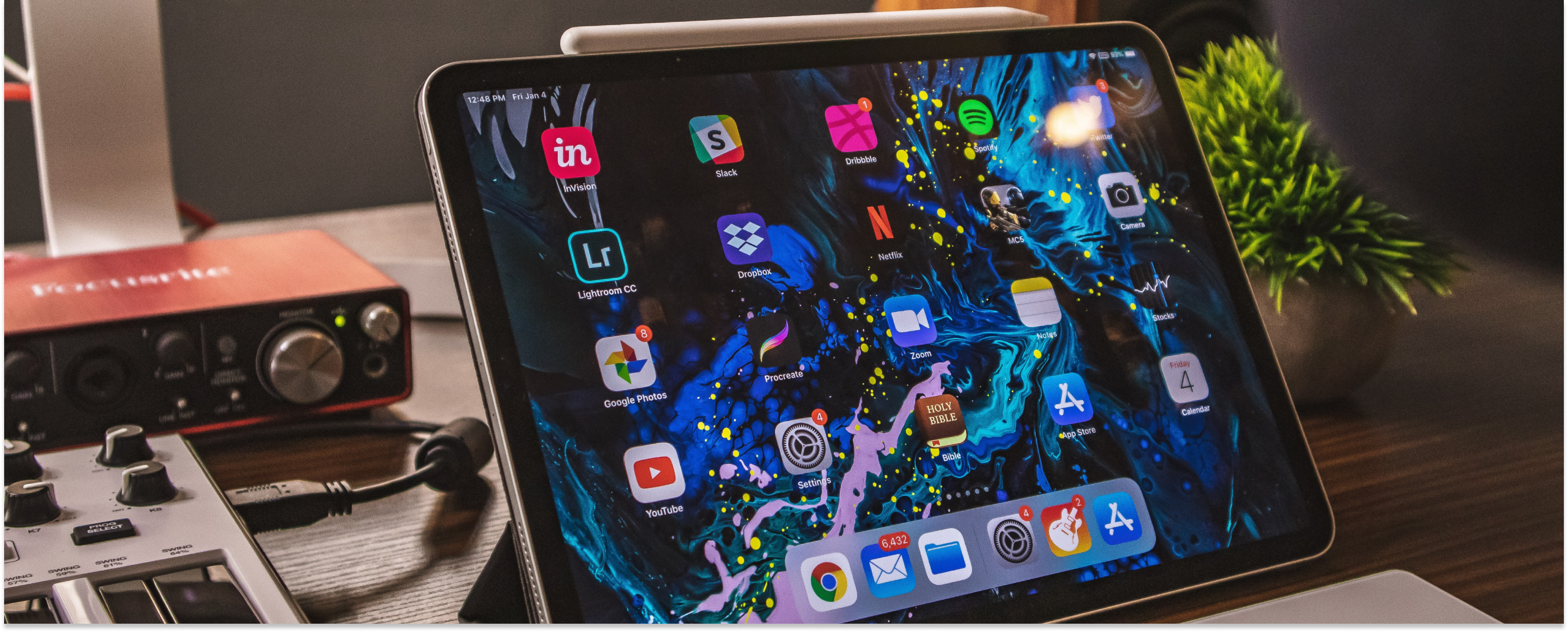
An iPad is a powerful tablet capable of providing a near-complete computing experience. It is not just a tablet but a full computer in portable form. However, the right accessories can enhance your experience even more, providing greater comfort, broader connectivity, and lasting protection for better durability. Here are the seven best iPad accessories for 2026, chosen to suit a range of budgets and use cases.
Disclaimer: We earn a commission when you follow links to make a purchase. Click here to learn more about how we make money.
The best iPad accessories at a glance
| Accessory | Category | Highlight | Price range |
|---|---|---|---|
| Apple Pencil | Stylus | Excellent for drawing, handwriting, and document markup with imperceptible delay. | $$ |
| AirPods | Wireless earbuds | Noise cancellation, automatic switching, and Siri integration. | $$ |
| Logitech Folio Touch Keyboard | Keyboard case | Backlit keys, multi-touch gestures, and a high-precision trackpad. | $$$ |
| XIRON Screen Protector | Screen protector | Paper-feel texture, perfect for writing and drawing, with anti-glare features. | $ |
| Hyphen-X USB-C Charger | Charger | Fast charging for four devices simultaneously with over-voltage and heat protection. | $ |
| Twelve South StayGo USB-C Hub | USB-C hub | Compact solution with HDMI, USB, SD/MicroSD, and Ethernet connections. | $$ |
| INIU Portable Charger | Power bank | Slim 10000mAh capacity, fast 3A output, and USB-C in & out. | $ |
1. Apple Pencil
The Apple Pencil remains one of the most transformative iPad accessories available. It excels at drawing, handwriting, and navigating iPadOS, with an imperceptible delay as it moves across the display. Press harder and the lines grow thicker, exactly as with a real pencil. It is also ideal for marking up PDFs, signing documents, and annotating screenshots.
Apple currently sells four models, each targeting a different iPad lineup:
Apple Pencil Pro (best for newer iPads)
- Supports hover detection, squeeze gesture, barrel roll, and Find My
- Compatible with: iPad Pro 11-inch (M4, M5), iPad Pro 13-inch (M4, M5), iPad Air 11-inch (M2, M3, M4), iPad Air 13-inch (M2, M3, M4), iPad mini (A17 Pro)
Apple Pencil (2nd generation)
- Magnetic charging and pairing, double-tap to switch tools
- Compatible with: iPad Pro 11-inch (1st-4th gen), iPad Pro 12.9-inch (3rd-6th gen), iPad Air (4th-5th gen), iPad mini (6th gen)
Apple Pencil (USB-C)
- Budget-friendly option at around $79, charges via USB-C
- Compatible with: iPad (10th gen, A16), iPad mini (6th gen, A17 Pro), iPad Air (4th gen and later), iPad Pro 11-inch (all generations), iPad Pro 12.9-inch (3rd gen and later), iPad Pro 13-inch (M4, M5), iPad Air 13-inch (M2, M3, M4)
Apple Pencil (1st generation)
- Lightning charging, compatible with older models
- Compatible with: iPad Pro 9.7-inch, iPad Pro 10.5-inch, iPad Pro 12.9-inch (1st-2nd gen), iPad Air 3, iPad 6-9, iPad 10 (requires USB-C to Apple Pencil adapter), iPad mini 5
If your iPad is a recent M-chip model, the Apple Pencil Pro is the best choice. For older USB-C iPads on a tighter budget, the USB-C Pencil delivers solid performance. You can find discounted refurbished Apple Pencils with warranty included at the widget above.
Learn more:
2. AirPods
Apple's AirPods are widely considered among the best wireless earbuds available, and they pair exceptionally well with an iPad. You do not even need an Apple device to use them, since AirPods also work with Android and other gadgets.
The AirPods Pro and AirPods Max offer excellent active noise cancellation, which is particularly valuable when using an iPad to edit video, play games, take online calls, or focus on creative work in a noisy environment.
They also come with Apple-specific features such as Siri integration and the ability to automatically switch between an iPhone, iPad, and Mac when you move between devices. Check the widget above for discounted refurbished AirPods with warranty included.
Learn more: Are Apple AirPods Worth Your Money and Time?
3. Logitech Folio Touch Wireless Keyboard
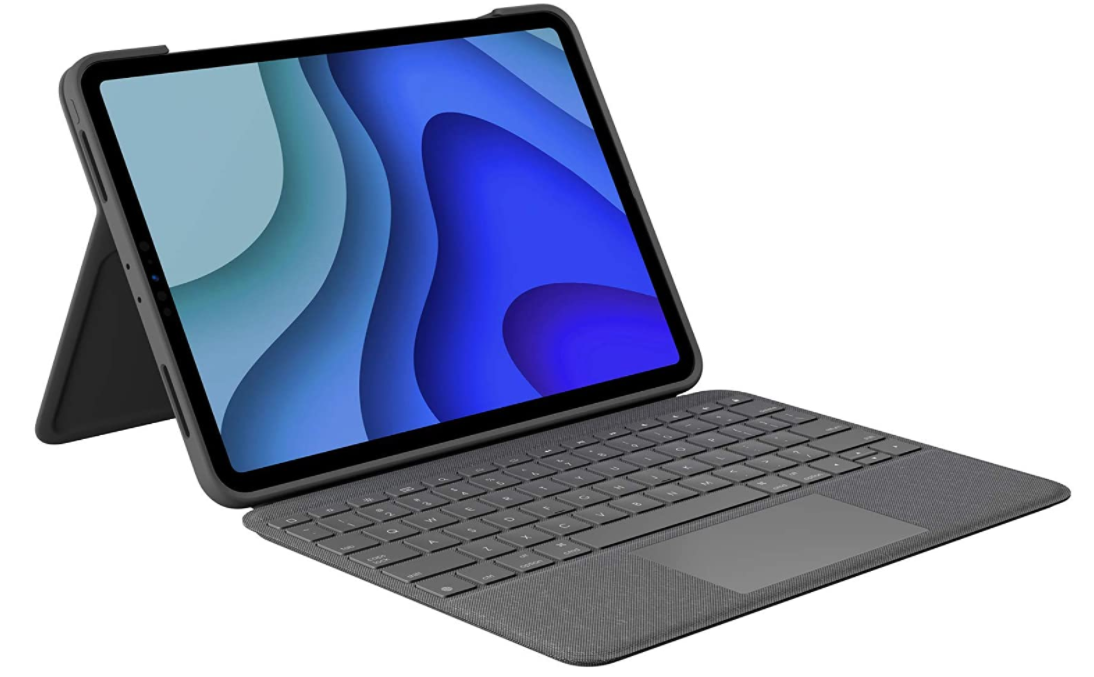
A quality keyboard case is the single upgrade most likely to turn your iPad into a genuine laptop replacement. The Logitech Folio Touch is designed for the iPad Pro 11-inch (1st, 2nd, and 3rd generation) and delivers a genuinely satisfying typing experience.
Its high-precision trackpad supports intuitive multi-touch gestures including swipe, pinch, and three-finger navigation. The backlit keys are tuned for iPadOS shortcuts and adjust automatically to ambient light levels.
The case offers four modes: Type, View, Sketch, and Read, each with its own angle and configuration. A 40-degree adjustable kickstand ensures a comfortable viewing angle whether you are working at a desk or sketching on the sofa. Power and pairing happen through the Smart Connector, so there is no Bluetooth setup and no separate charging cable to manage.
If you own a newer iPad Pro or iPad Air with an M-chip, Apple's own Magic Keyboard is worth considering as an alternative. It attaches magnetically, includes a glass trackpad, and charges through the USB-C port on the side.
4. XIRON 2-Pack Screen Protector
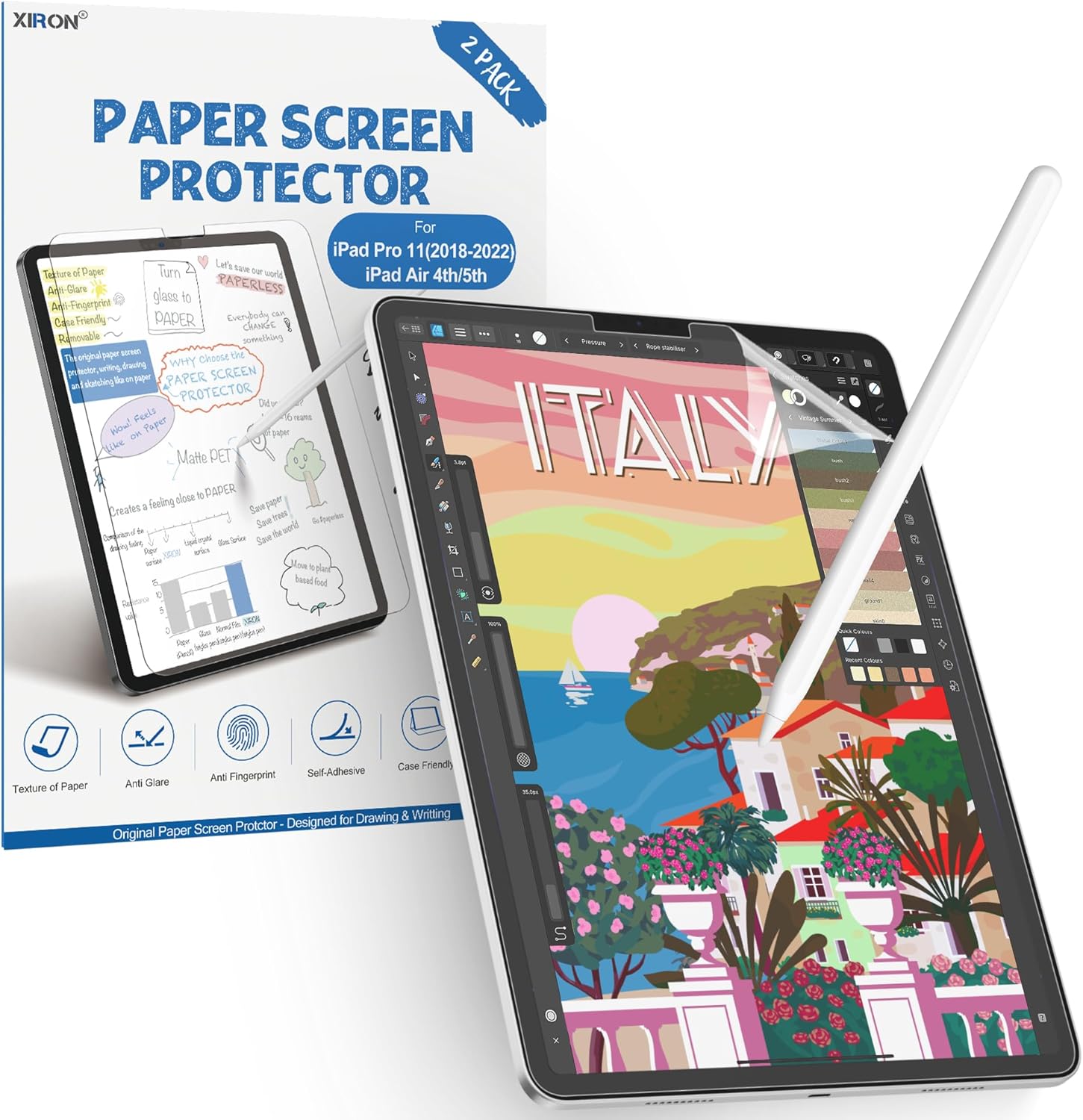
Paper-feel screen protectors have become a must-have accessory for iPad owners who use an Apple Pencil. The XIRON protector is designed to emulate the tactile sensation of writing on paper, giving your sketches and handwritten notes a natural, fluid feel instead of the slippery glide of bare glass.
Beyond the creative benefits, it provides sturdy physical protection and includes anti-glare treatment that reduces reflections without interfering with Face ID. The matte finish also makes outdoor use more practical by cutting down on screen glare in bright sunlight.
Whether you are an artist, a student, or someone who simply prefers taking handwritten notes, the XIRON protector is a low-cost way to make your Apple Pencil feel significantly more natural.
5. Hyphen-X USB-C Charger
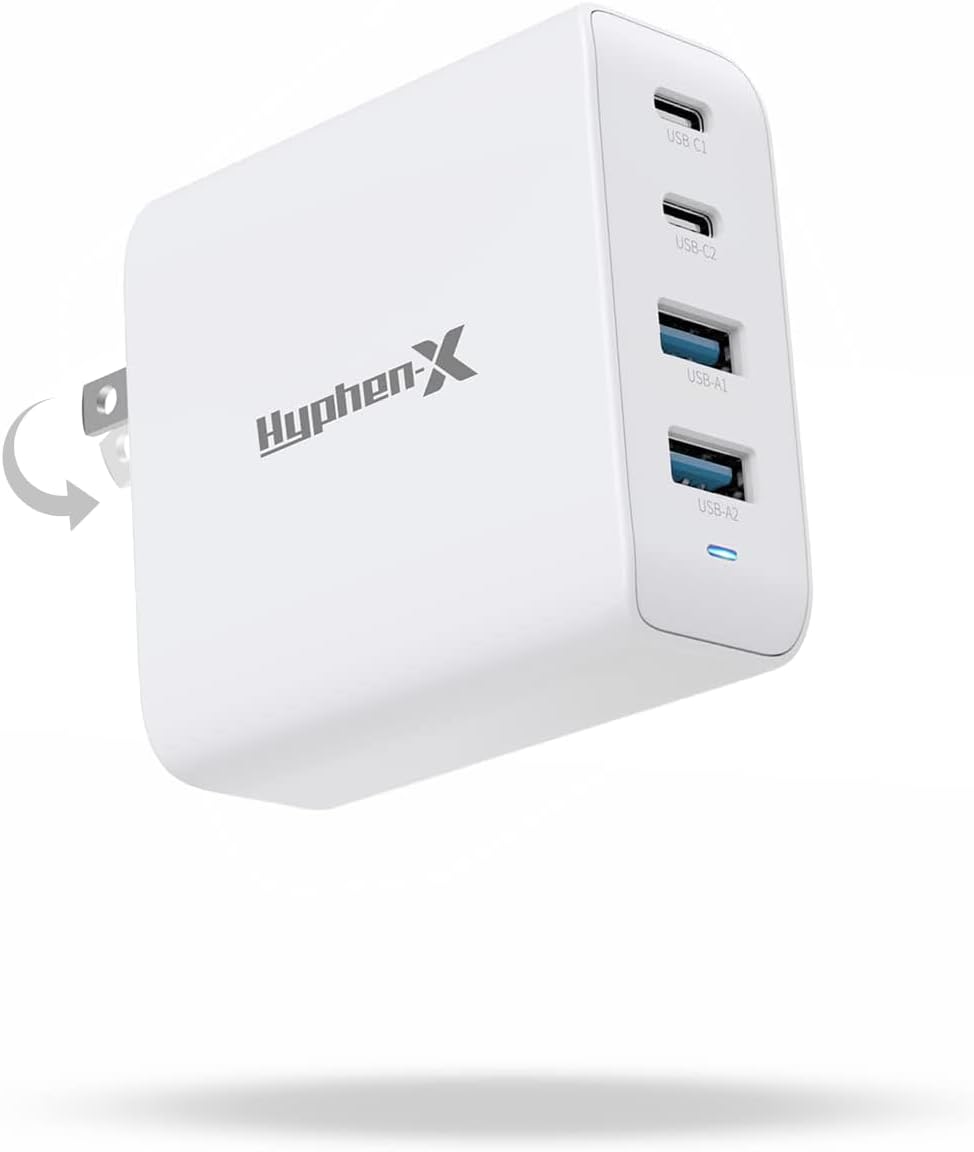
The Hyphen-X USB-C wall charger solves one of the most common pain points of owning multiple Apple devices: running out of outlets. It can fast-charge four devices simultaneously at full speed, which means you can top up an iPad, iPhone, AirPods, and Apple Watch from a single socket.
The charger includes built-in protection against heat, over-charge, over-voltage, over-current, and short circuits. For households or home offices with several Apple devices, it eliminates the clutter of multiple adapters and is far more convenient than the single-port charger Apple includes in the box.
6. Twelve South StayGo USB-C Hub
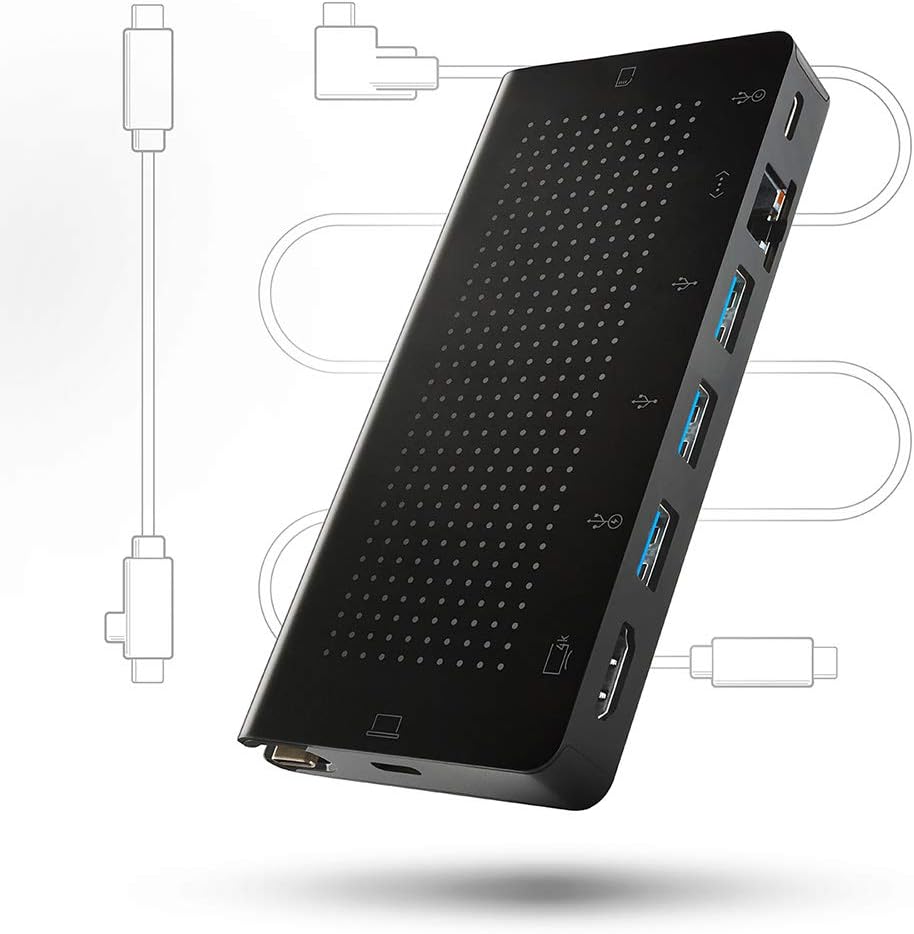
The iPad's single USB-C port is its biggest limitation when used as a desktop replacement. A good hub solves that instantly. Apple has progressively improved iPadOS support for external displays, USB drives, SD cards, cameras, and even mice and trackpads, but you need a hub to connect more than one peripheral at a time.
The Twelve South StayGo is a compact, well-built solution that adds HDMI, USB-A, SD card, MicroSD card, and Ethernet ports via a single USB-C connection. Its braided cable and aluminium housing make it a premium option that matches the aesthetic of the iPad Pro. It is particularly useful for photographers who need to import images from a camera while simultaneously connecting an external display.
7. INIU Portable Charger
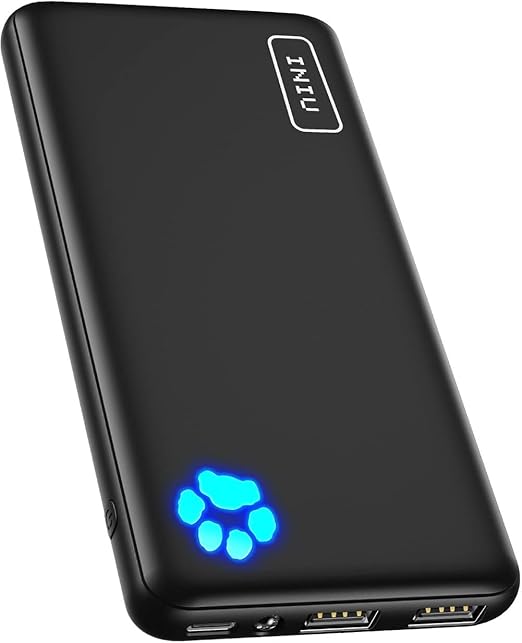
A portable charger is invaluable for anyone who uses their iPad on the go. The INIU power bank combines a 10000mAh capacity with a slim, lightweight form factor that slips easily into a bag or even a large pocket.
It supports USB-C in and out, so you can recharge the power bank with the same cable you use for your iPad. The 3A high-speed output keeps charge times short, making it a practical companion for travel, commutes, long study sessions, or days out of the office.
Conclusion
From the Apple Pencil and AirPods to the Twelve South StayGo USB-C Hub and INIU Portable Charger, each of these accessories addresses a specific limitation of the iPad and expands what you can do with it. Start with the accessories that match your primary use case: the Apple Pencil if you draw or take notes, a keyboard case if you write or work in productivity apps, and a hub if you regularly connect external devices.
Don't hesitate to have a look at the best iPads you can buy to get the most out of these accessories.
Visit RefurbMe anytime to find the best deals on refurbished iPads and save money while getting the same factory-new performance with a warranty.
Frequently asked questions
Last updated: May 20, 2026 · First published: Feb 27, 2025